 Networking computers 5.3.4 Networking computers 5.3.4
| Revision points: |
|
Candidates should be able to:
|
Networks:
A Computer Network is a system of connected computers, peripherals and communication devices that can exchange information and share resources.

- The connections could be cable, fibre-optic, or wireless (infra-red, microwave or radio) and may be between computers in one building or between computers in different parts of the world. They either link computers directly or more commonly link them through a hub or switch.
- The hardware includes the network interface card fitted inside the computers and hubs or switches with some network topologies.
Often the computers in a network are linked to a server, this is a powerful computer which holds the software to run the network. It also stores and manages the shared resources of the network like the users’ files, software packages and printer queues. It usually has a much higher specification than the other computers on the network, with a very large hard disk drive.
Common Network Environments:
- The Internet: This is a wide area network (WAN) which connects millions of small computer networks all over the world.
- An Intranet: This is a small-scale Internet on a local area network (LAN). It is constructed and managed using standard Internet technology and applications such as internal e-mail systems, message boards and local web sites can be accessed using a standard web browser. An Intranet can be set up to be accessed from the Internet via a secure log on.
Network Components:
- Network software: This may be part of the operating system, or it can be software designed specifically to manage a network.
-
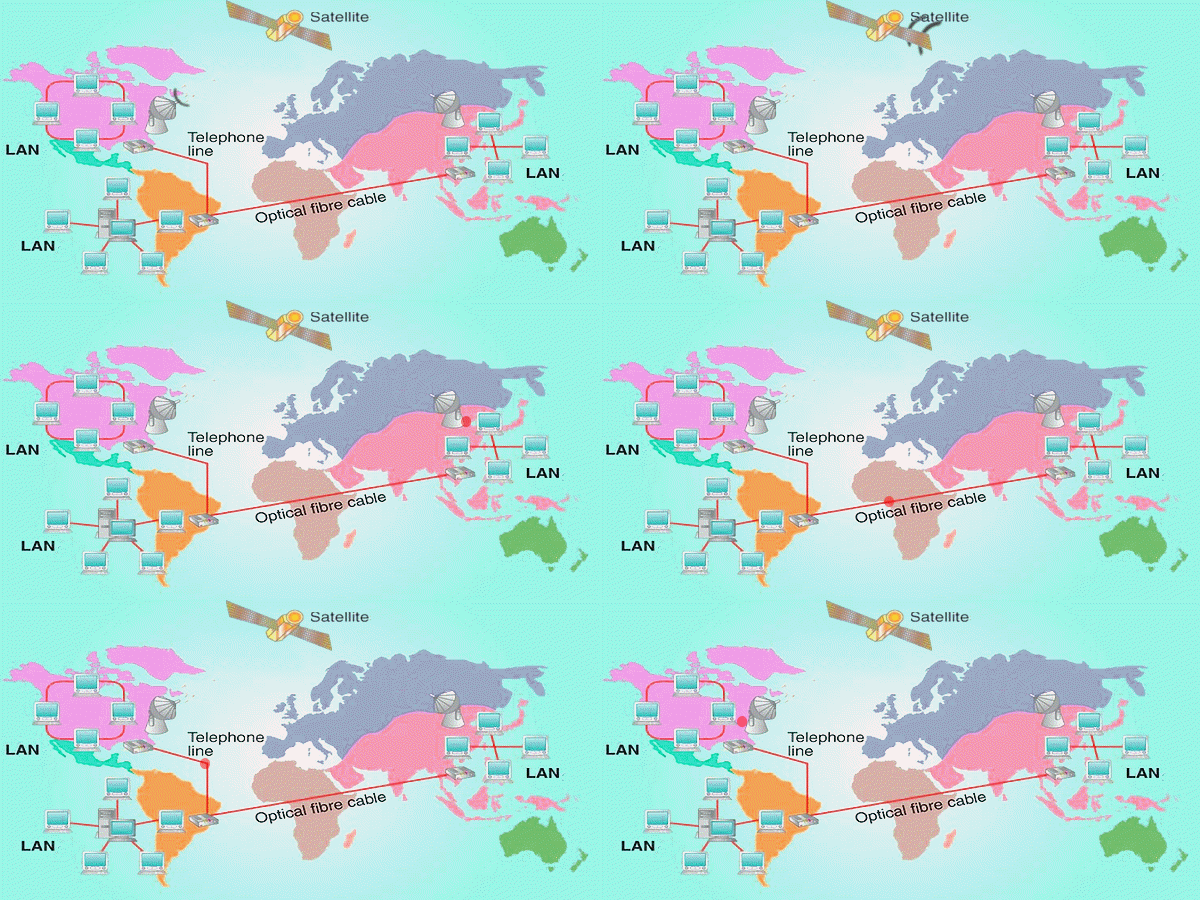 Methods of communication: Methods of communication:
- radio signals exchanged via satellite.
- electronic signals exchanged via telephone line or LAN cable.
- light signals exchanged via optical fibre.
- Network Interface Card (NIC): This is needed to connect a computer to the network. The network card looks like a small circuit board and slots into one of the connectors on the main circuit board (called the mother board) inside the computer. Network cards have connectors on them for network cables.
- Communication Hardware:
-
A switch provides a central connection point for all the cables and the server in a star network topology.
-
A hub is a low-cost substitute for a switch in a network which has low network traffic.
- A wireless access point allows laptops and PDA's to connect to a network using radio signals.
- A bridge is used to connect separate LANs of the same type.
- A router connects different types of LAN and connects a LAN to a WAN such as the Internet.

Network management - servers:
Networks are often arranged in a hierarchical way. This means that one or more server computers are more powerful than the other client computers. This is known as a client-server relationship. Servers manage all the printing, file maintenance and access permissions.
The clients computers may have little no disk storage or processing power of their own as these functions can be provided by the server.
Advantage - Client computers can be very low specification and therefore cheap.
Disadvantage - The client computers can be totally dependant on the server.
Network management - encryption and authentication techniques:
Because data is being transferred between computers it can be intercepted more easily than on a non-networked computer. To intercept data transmitted over a wireless network a hacker does not even have to be physically in the same building as the network.
There are two ways to reduce these security risks:
-
Encryption - scrambling the data so that it cannot be understood without the number key that was used to encrypt it.
-
Authentication techniques - such as using unique User ID's to control access to files and computer settings and passwords to protect unauthorised used of the user ID's.
|





